The release candidate of iOS 27.2 adds a range of changes across Apple's software and smart home products, according to a hands-on look from 9to5Mac's iOS Decoded video series. The highlights include a new light display feature for HomePod, a way to lock the speaker's touch surface, profiles in the TV app and the return of Suggested Actions in Messages.
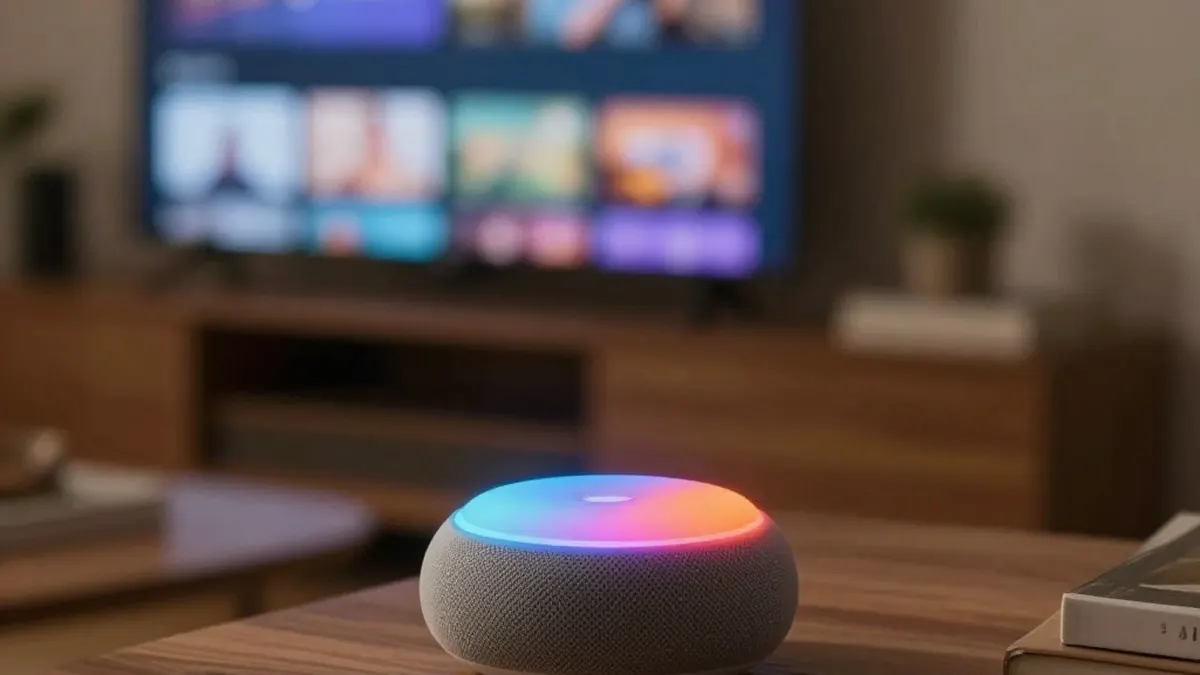
The headline addition is Sound Glow, which makes new use of the LED Matrix displays beneath the top cap of the HomePod mini and the second-generation HomePod. Those displays contain 19 and 37 RGB LEDs respectively. With Sound Glow, the top cap becomes an animated canvas whose colors are matched to the album artwork of the song being played. It glows and pulses along with the music or podcast, reacting to shifts in bass and treble. Ambient Soundscapes such as rain, forest and fireplace skip the audio-processing pipeline and instead use custom RGB animations, because they differ so much from music.
Once iPhones and HomePods are updated to 27.2, a Sound Glow toggle appears in the Home app under the HomePod settings. The reviewer said they tested the feature extensively and came away impressed by the vividness of the display, though they noted it is not especially bright and will not light up a room. It works best where the top cap is easily visible. Sound Glow is not limited to the newly announced HomePod mini 2; it also runs on the first-generation HomePod mini and the second-generation full-size HomePod.
A second HomePod feature, Lock Controls, disables touch input on the top cap, including touch, touch and hold, and volume controls. It is also enabled from the HomePod settings in the Home app. When someone touches a locked top cap, a red animation shakes side to side, as if saying no. The reviewer said their cat sometimes paws at the speaker and starts music, a problem Lock Controls would solve while still letting people use Siri by voice or control playback from another iOS device. Apple says timers, intercom alarms, check-in and FaceTime calls will still respond to touch.
The TV app on iOS now supports creating and switching between profiles, something already available on tvOS. The reviewer suggested it is useful for households with young children who watch on a parent's phone, since a child's viewing no longer clutters the parent's Up Next queue.
Suggested Actions in Messages, which appeared in early iOS 27 betas but was removed before the initial release, is now set to ship. The feature proposes actions based on conversation content, such as Open in Maps when an address is pasted or Add to Calendar when a date is typed. Users can adjust the options in Settings under Messages and Suggested Actions, with toggles for Calendar, Reminders, Notes, Show in Maps, and Flight and Packages. Apple notes that suggestions a user does not act on stop appearing after a month.
The build also contains assets tied to setting up Home Theater on the fourth-generation Apple TV, which relies on four HomePods arranged as two stereo pairs. 9to5Mac examined animations from the setup process and a Celebration animation with accompanying sound that plays when calibration succeeds.
The reviewer said these items are only part of what was found in the iOS 27.2 beta. The video also covers details about unreleased iPhone and iPad hardware, as well as additional sounds and assets from the HomeView setup process. Further episodes of iOS Decoded are planned to examine new iOS releases in more depth.